




Getting started with Golf at Home
Everything you need to go from unboxing to your first swing in just a few minutes.
Get started in five steps
-

Step 01 -

Step 02 Step 2
Download the app
Install from the App Store or Google Play, then sign in.
-

 4.8
on the App Store
4.8
on the App Store
-

 4.6
on Google Play
4.6
on Google Play
-
-

Step 03 7x7 ftStep 3
Set up your practice space
Flat surface, room to swing, and your whole body in frame.
-

Step 04 Step 4
Complete camera calibration
Calibrate your camera in the app. It takes about a minute.
-

Step 05 Step 5
Play golf, get feedback
Play on the range, play courses, play ranked, or play with friends and family. Every swing analyzed.


Supported devices
Open your brand to find your model and the camera each feature uses. At The Range and Coach need 120 fps recording. Every supported iPhone has it, and on Android only the recent Pixels do.


-
Apple
- Devices Simulator At The Range & Coach
- iPhone 12 and newer Simulator Front and back camera At The Range & Coach Front and back camera
-
Google
- Top Devices Simulator At The Range & Coach
- Pixel 9 / Pro Simulator Front and back camera At The Range & Coach Only Back camera
- Pixel 8 / Pro Simulator Front and back camera At The Range & Coach Only Back camera
- Pixel 7 / Pro Simulator Front and back camera At The Range & Coach Only Back camera
- Pixel 9 Pro Fold Simulator Front and back camera At The Range & Coach Not supported
- Pixel Fold Simulator Front and back camera At The Range & Coach Not supported
-
Samsung
- Top Devices Simulator At The Range & Coach
- Galaxy S25 / Plus / Edge / Ultra Simulator Front and back camera At The Range & Coach Not supported
- Galaxy S24 / Plus / Ultra Simulator Front and back camera At The Range & Coach Not supported
- Galaxy S23 / Plus / Ultra / FE Simulator Front and back camera At The Range & Coach Not supported
- Galaxy Z Fold6 / Flip6 Simulator Front and back camera At The Range & Coach Not supported
- Galaxy Z Fold5 / Flip5 Simulator Front and back camera At The Range & Coach Not supported
- Galaxy Z Fold4 / Flip4 Simulator Front and back camera At The Range & Coach Not supported
- Galaxy Tab S9 / Plus / Ultra Simulator Front and back camera At The Range & Coach Not supported
-
Xiaomi
- Top Devices Simulator At The Range & Coach
- 15 / Pro / Ultra Simulator Front and back camera At The Range & Coach Not supported
- 14 / Pro / Ultra Simulator Front and back camera At The Range & Coach Not supported
- 13 Ultra Simulator Front and back camera At The Range & Coach Not supported
- 13T / Pro Simulator Front and back camera At The Range & Coach Not supported
- Civi 4 Pro Simulator Front and back camera At The Range & Coach Not supported
- Civi 3 Simulator Front and back camera At The Range & Coach Not supported
-
Redmi
- Top Devices Simulator At The Range & Coach
- K70 / Pro Simulator Front and back camera At The Range & Coach Not supported
- K70E Simulator Front and back camera At The Range & Coach Not supported
- K60 Ultra Simulator Front and back camera At The Range & Coach Not supported
-
POCO
- Top Devices Simulator At The Range & Coach
- F5 Pro Simulator Front and back camera At The Range & Coach Not supported
- X6 Pro Simulator Front and back camera At The Range & Coach Not supported
-
Realme
- Top Devices Simulator At The Range & Coach
- GT5 / Pro Simulator Front and back camera At The Range & Coach Not supported
- GT3 Simulator Front and back camera At The Range & Coach Not supported
- GT Neo 3T Simulator Front and back camera At The Range & Coach Not supported
- GT2 Pro Simulator Front and back camera At The Range & Coach Not supported
- 12 Pro+ Simulator Front and back camera At The Range & Coach Not supported
-
Asus
- Top Devices Simulator At The Range & Coach
- ROG Phone 8 / Pro Simulator Front and back camera At The Range & Coach Not supported
- ROG Phone 7 / Ultimate Simulator Front and back camera At The Range & Coach Not supported
- Zenfone 11 Ultra Simulator Front and back camera At The Range & Coach Not supported
- Zenfone 10 Simulator Front and back camera At The Range & Coach Not supported
-
ZTE
- Top Devices Simulator At The Range & Coach
- Nubia Red Magic 9 Pro+ Simulator Front and back camera At The Range & Coach Not supported
- Red Magic 9 Pro Simulator Front and back camera At The Range & Coach Not supported
- Red Magic 8S Pro / Pro+ Simulator Front and back camera At The Range & Coach Not supported
- Nubia Z60 Ultra Simulator Front and back camera At The Range & Coach Not supported
-
OnePlus
- Top Devices Simulator At The Range & Coach
- 13 Simulator Front and back camera At The Range & Coach Not supported
- 12 / 12R Simulator Front and back camera At The Range & Coach Not supported
- 11 / 11R Simulator Front and back camera At The Range & Coach Not supported
- Open Simulator Front and back camera At The Range & Coach Not supported
-
iQOO
- Top Devices Simulator At The Range & Coach
- 12 / Pro Simulator Front and back camera At The Range & Coach Not supported
- 11 / Pro Simulator Front and back camera At The Range & Coach Not supported
- 11s Simulator Front and back camera At The Range & Coach Not supported
- Neo9 Pro Simulator Front and back camera At The Range & Coach Not supported
-
Vivo
- Top Devices Simulator At The Range & Coach
- X100 / Pro Simulator Front and back camera At The Range & Coach Not supported
- X90 / Pro Simulator Front and back camera At The Range & Coach Not supported
- V30 Pro Simulator Front and back camera At The Range & Coach Not supported
-
Honor
- Top Devices Simulator At The Range & Coach
- Magic6 / Pro / Ultimate / RSR Porsche Design Simulator Front and back camera At The Range & Coach Not supported
- Magic V2 / RSR Porsche Design Simulator Front and back camera At The Range & Coach Not supported
-
OPPO
- Top Devices Simulator At The Range & Coach
- Find X7 / Ultra Simulator Front and back camera At The Range & Coach Not supported
- Find N3 / Flip Simulator Front and back camera At The Range & Coach Not supported
- Reno11 Pro Simulator Front and back camera At The Range & Coach Not supported
-
Nothing
- Top Devices Simulator At The Range & Coach
- Phone 3 Simulator Front and back camera At The Range & Coach Not supported
- Phone 2 Simulator Front and back camera At The Range & Coach Not supported


FAQ
Does it work without a ball?
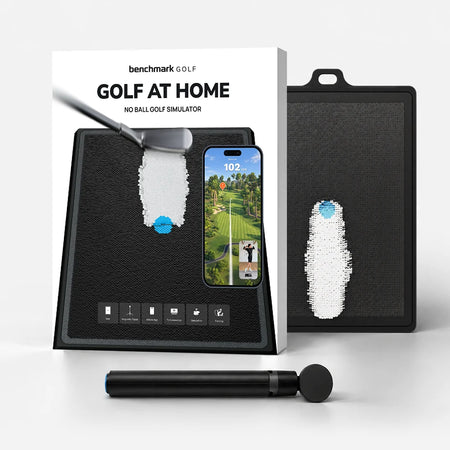
Yes. The mat reads club contact directly. No ball required. You can use real balls outdoors if you prefer.
What's in the box?
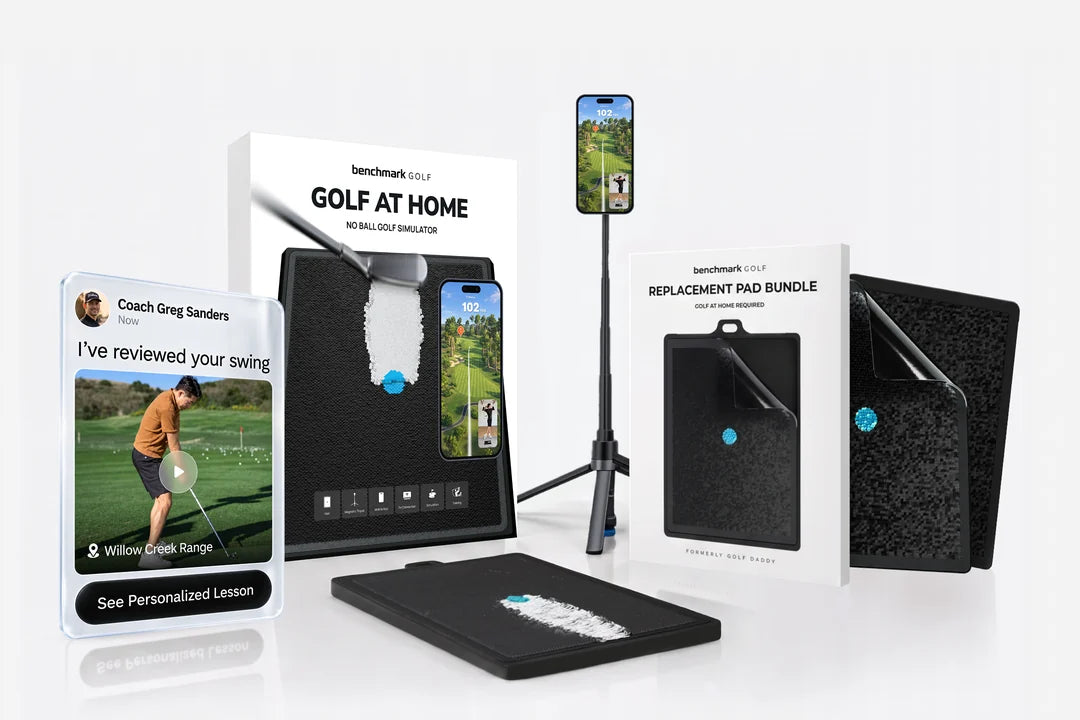
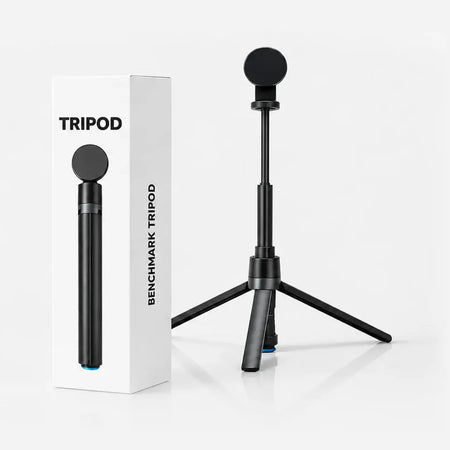
The Golf At Home simulation mat, a magnetic tripod, and free access to the Benchmark Golf app for iOS and Android.
iPhone or Android?
Both. The Benchmark Golf app runs on any modern iPhone or Android phone. Set it on the tripod, swing, and get instant feedback.


